Using Comments for Faster Approvals
Effective communication is the backbone of any successful digital project. For agencies managing client delivery or internal audits, the ability to gather feedback directly on the sitemap eliminates long email chains and confusing spreadsheets. WriteMaps provides a built-in commenting system to keep all your project discussions in one centralized location.
Identifying Comments on Your Sitemap
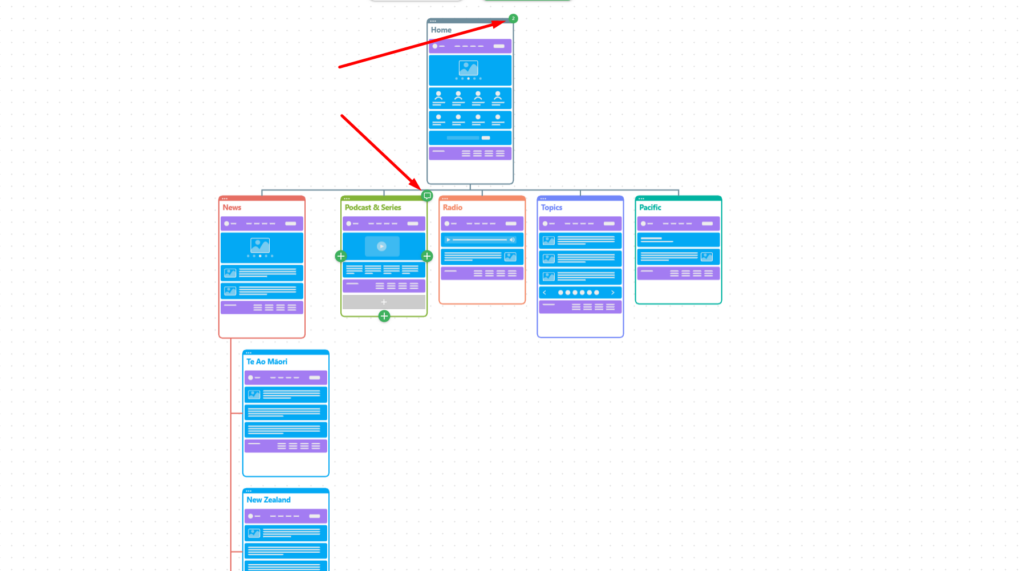
You can quickly see where feedback is active by looking at the page thumbnails in your project view.
- Comment Indicators: Look for a speech bubble icon in the top right corner of a page card.
- Notification Count: A green badge with a number indicates how many unread or total comments are currently active on that specific page.
How to View and Add Comments
To engage with the discussion on a specific page, simply click the comment icon or the notification badge on that page card.
Participating in the Thread
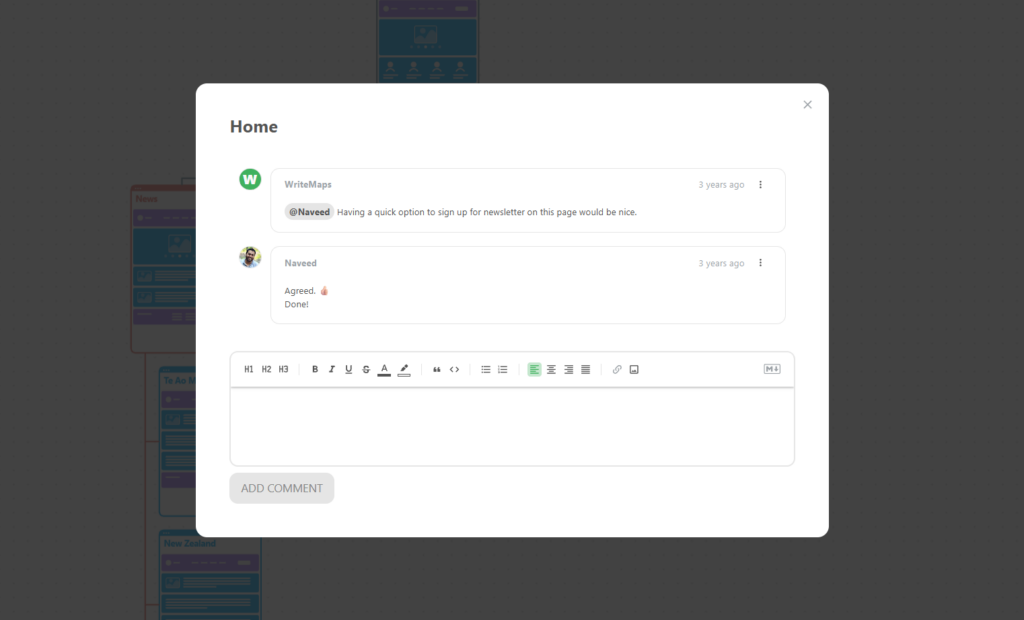
Once the comment modal opens, you can interact with your team and clients using several powerful tools:
- Rich Text Editing: Format your feedback using bold, italics, headers, or lists to make your instructions clear.
- Mentioning Users: Use the @ symbol to tag a specific team member. This ensures the right person is notified of your feedback or question.
- Adding Media: You can insert links or images directly into the comment field to provide visual references or external documentation.
- Posting: Click the ADD COMMENT button to submit your feedback to the thread.
Benefits for Creative Agencies
Using comments helps your agency stay organized during critical project phases:
- Content Audits: Mark up specific pages with content requirements or missing assets.
- Client Sign-off: Allow clients to leave “Agreed” or “Done” notes directly on the architecture to create an audit trail of approvals.
- Contextual Discussions: Keep the conversation tied to the specific page being discussed so nothing gets lost in translation.
Would you like me to help you draft a set of best practices for client communication within these comment threads?