
How to Audit a Legacy Website in Under an Hour: The Ultimate Agency Guide
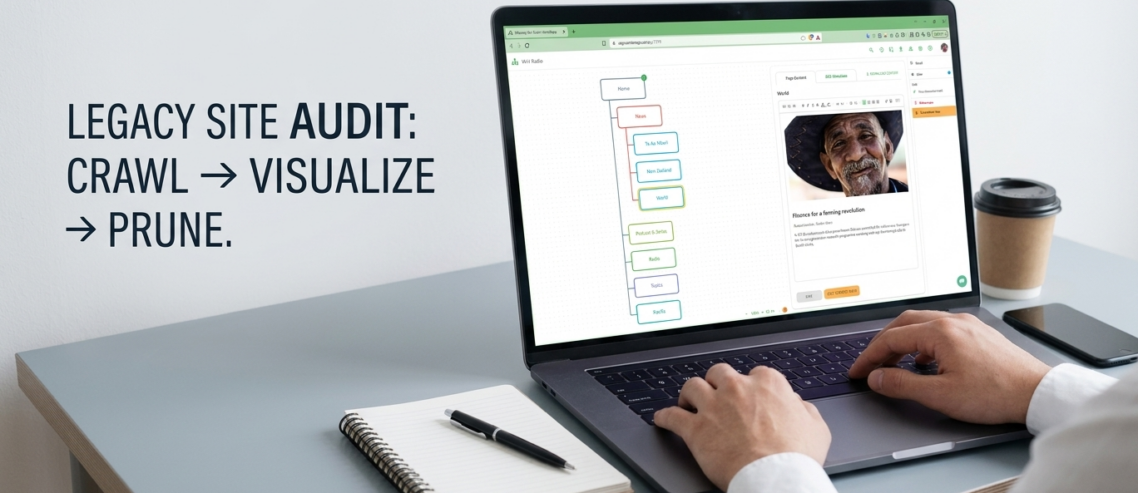
Using agency website planning software like WriteMaps, you can transform a messy legacy site into a clear, actionable blueprint. Here is the three step “Crawl, Visualize, Prune” framework to audit any site in under 60 minutes.
Step 1: The Automated Crawl (Audit Mode)
Manual page counting is a relic of the past. To begin your audit, utilize a site crawler to map out the “as-is” version of the legacy site. This tool instantly scrapes the existing URL structure and metadata, providing a comprehensive look at the current state of the project.
This is a critical phase for client onboarding for web design. Instead of asking the client for a list of pages they likely don’t have, you generate the list for them. This transparency builds immediate trust during website planning for pitches.
Step 2: Visualize the Information Architecture
Raw data is difficult for clients to process. Once the crawl is complete, use a visual sitemap builder to turn that data into a drag and drop hierarchy. This allows your team to see the relationship between parent and child pages instantly.
- Color Coding and Tagging: Assign colors to represent page status. For example, use Red for “To be Deleted,” Yellow for “Needs Rewrite,” and Green for “Keep as is.” This turns your sitemap into a visual project management dashboard.
- Interactive Sections: Use the “Sections” feature to group floating pages like landing pages or legal footers that exist outside the main navigation.
- SEO Management: Populate SEO management fields early. By auditing Page Titles and Meta Descriptions during the visualization phase, you ensure that scalable IA for agencies includes a technical SEO foundation from day one.
Step 3: Prune and Collaborate for Sign-off
The goal of an audit is to identify redundant, outdated, or trivial content. With real-time collaboration, you can invite stakeholders via a unique URL to review the structure. Clients can leave notes directly on specific pages, bypassing the need for endless email chains.
For those high-stakes moments, such as website planning for pitches or formal UX deliverables for clients, you can generate professional PDF exports. These provide a clean, branded blueprint that looks impressive in a slide deck or a contract. If the client is ready for the content phase, use a live content gathering tool to let them type copy directly into the sitemap cells, keeping everything aligned with the new structure.
Step 4: Seamless Handoff to Development
An audit is only useful if it leads to action. Once the sitemap is pruned and approved, agencies use XML and CSV exports to bridge the gap between design and development. This allows developers to import the new structure directly into a CMS, eliminating manual entry errors and ensuring the sitemap for client proposals becomes a reality.
Why Agencies Choose Professional Sitemap Tools
Efficiency is the primary differentiator for successful firms. By using a white-label sitemap tool, agencies can provide a cohesive brand experience from the first audit to the final UX prototyping for sales. Whether you are conducting a quick audit of a competitor site with an AI sitemap generator or mapping a complex migration, having the right sitemap tool for web designers is essential for modern workflows.
By shifting from manual spreadsheets to an integrated sitemap tool for agencies, you can reduce the time spent on audits by up to 80 percent, allowing your team to focus on what they do best: creative strategy and high-impact design.
Key Features for Agency Audits:
| Feature | Agency Benefit |
|---|---|
| Site Crawler | Instant visualization of legacy site “dead wood.” |
| AI Sitemap Generator | Rapidly brainstorm navigation for new niches. |
| Guest Editing | Speed up architectural sign-off with real-time client feedback. |
| XML/CSV Export | Eliminate manual data entry for developers. |

Comments
1 Comment
Great guide on streamlining the discovery phase. Manually auditing legacy site structures is a major profitability killer for digital agencies. Shifting to visual sitemaps and automated crawling definitely saves hours of redundant work and makes client onboarding much smoother..
Leave a Comment