
Why Your Site Redesign Will Fail Without a “Dead Wood” Audit First
In the fast-paced world of digital agencies, every minute counts. You’re constantly juggling client expectations, tight deadlines, and the ever-present pressure to deliver exceptional results. When it comes to a website redesign, the temptation can be strong to jump straight into exciting new designs and features. But here’s a crucial truth many agencies learn the hard way: without a thorough “dead wood” audit of the existing site, your redesign project is likely to encounter significant roadblocks and even fail.
Think of it like renovating an old house. You wouldn’t just slap new paint over crumbling walls or lay new carpet over a rotting floor, would you? The same principle applies to websites. Legacy sites often accumulate years of outdated content, broken links, irrelevant pages, and poorly optimized structures. This “dead wood” isn’t just an aesthetic issue; it actively drags down SEO, confuses users, and inflates development costs.
The Hidden Costs of Carrying Digital Clutter
Ignoring an audit before a redesign isn’t just a missed opportunity; it’s a direct path to failure. Here’s why:
- Bloated Budgets: Developers end up migrating or recreating unnecessary pages, wasting valuable time and resources.
- Poor User Experience: Users get lost in a labyrinth of irrelevant content, leading to high bounce rates and frustration.
- Compromised SEO: Outdated pages with poor keyword targeting or duplicate content can penalize your client’s search rankings.
- Delayed Launches: Discovering significant structural issues halfway through a redesign grinds progress to a halt.
- Client Dissatisfaction: Ultimately, if the new site doesn’t perform, your agency’s reputation takes a hit.
How to Conduct a “Dead Wood” Audit That Guarantees Success
A successful redesign starts with a meticulous audit. For digital and creative agencies, having the right tools makes this process efficient and impactful. This is where a powerful sitemap tool for agencies like WriteMaps becomes indispensable.
Step 1: Uncover the Existing Structure with a Site Crawler
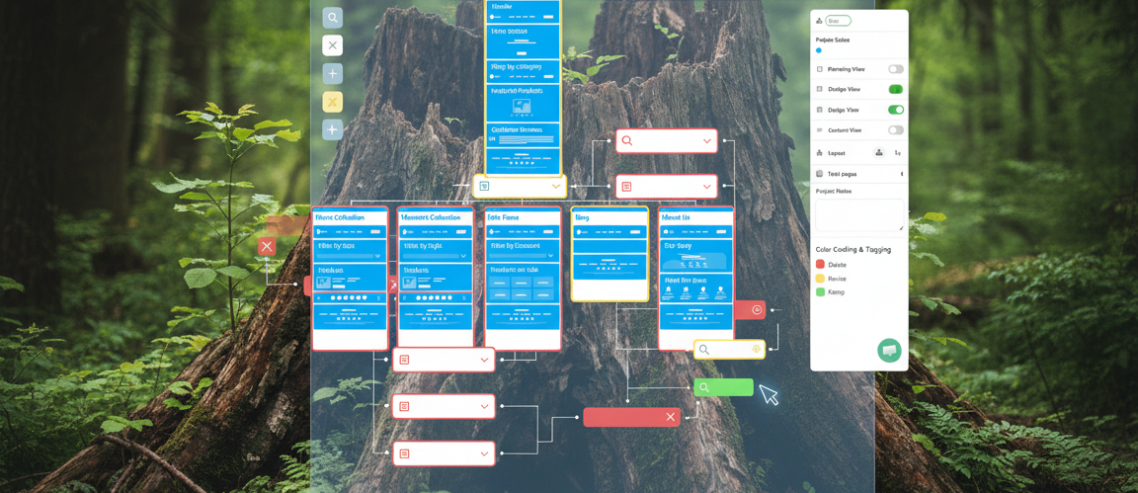
Before you can prune, you need to see what’s actually there. WriteMaps’ **Site Crawler (Audit Mode)** allows agencies to instantly map out an “as-is” version of a legacy site. Instead of manually clicking through hundreds of pages, the crawler visualizes the existing structure, highlighting every page. This immediate bird’s-eye view is critical for identifying redundant pages, broken links, and the sheer volume of content that might no longer serve a purpose.
This audit mode is a game-changer for agency website planning software, providing the foundational data needed for smart decision-making.
Step 2: Identify and Tag “Dead Wood”
Once the existing structure is mapped, your team can begin the rigorous process of identifying pages that are obsolete, underperforming, or simply unnecessary. Using WriteMaps’ **Color Coding & Tagging** feature, you can assign different statuses to pages. For example, mark pages “Red” for *Delete*, “Yellow” for *Revise*, and “Green” for *Keep*. This turns your sitemap into a visual project management dashboard, making it easy to track progress and assign responsibilities within your team.
This visual approach aids in scalable IA for agencies, allowing complex audit findings to be communicated clearly to both internal teams and clients.
Step 3: Strategize New Information Architecture (IA)
With the dead wood identified, you can now focus on building a robust and user-friendly new structure. The **Visual Sitemap Builder (Drag & Drop)** in WriteMaps allows your designers and strategists to jump from vague ideas to a structured hierarchy in seconds. It replaces manual drawing in tools like Illustrator or Visio, automatically handling the lines and boxes so your team can focus purely on optimal IA.
Need to brainstorm quickly for a new niche or competitive analysis? The **AI Sitemap Generator** can rapidly create navigation structures, giving you a head start in the discovery phase and enhancing your UX prototyping for sales pitches.
Step 4: Streamline Content Gathering & SEO Planning
One of the biggest “agency killers” is waiting for client content. WriteMaps’ **Live Content Gathering Tool** solves this by allowing clients or copywriters to click directly into a sitemap page and type in content, add images, or attach files. This keeps content aligned with the new structure from day one, drastically improving client onboarding for web design.
Furthermore, every page in the sitemap includes dedicated fields for **SEO Management Fields** like Page Titles and Meta Descriptions. Agencies use these to plan keyword strategy early, ensuring that developers have all the SEO metadata ready before the first line of code is written. This is crucial for a smooth transition and immediate SEO benefits.
Step 5: Facilitate Seamless Collaboration and Sign-off
An audit and redesign involve multiple stakeholders. WriteMaps’ **Real-time Collaboration & Guest Editing** features are essential here. Agencies use unique URLs to invite clients and other stakeholders into a project. Clients can leave notes or edit structures in real-time without needing to create accounts, which drastically speeds up the “architectural sign-off” phase. For formal presentations or contract sign-off, **Professional PDF Exports** provide a high-quality “blueprint” that looks professional and can be attached to project proposals. This makes for compelling visual sitemap for presentations and solid sitemap for client proposals.
For developers, the gap between design and development is bridged with **XML & CSV Exports for Developers**. This provides a clean list of URL slugs and page titles, eliminating manual data entry errors and accelerating the build process.
And for those “floating” pages like landing pages or legal footers that aren’t part of the main navigation, **Interactive “Sections”** allow agencies to group them separately while keeping them within the same project blueprint, maintaining a holistic view of the project.
The WriteMaps Advantage for Agencies
By integrating a comprehensive “dead wood” audit with a tool like WriteMaps, agencies empower themselves to:
- Deliver cleaner, more efficient, and higher-performing websites.
- Reduce project timelines and stay within budget.
- Improve client communication and satisfaction with transparent, collaborative workflows.
- Enhance SEO from the ground up, not as an afterthought.
- Elevate their reputation as strategic, detail-oriented partners.
Don’t let your next site redesign fall victim to digital clutter. Start with a “dead wood” audit using the right white-label sitemap tool. Your agency, and your clients, will thank you for it. WriteMaps isn’t just a sitemap builder; it’s essential website planning for agencies, ensuring your UX deliverables for clients are always top-tier.
Ready to ensure your next site redesign is a resounding success? Learn more about WriteMaps and transform your agency’s website planning process today.

Comments
Leave a Comment